Same document, two editors
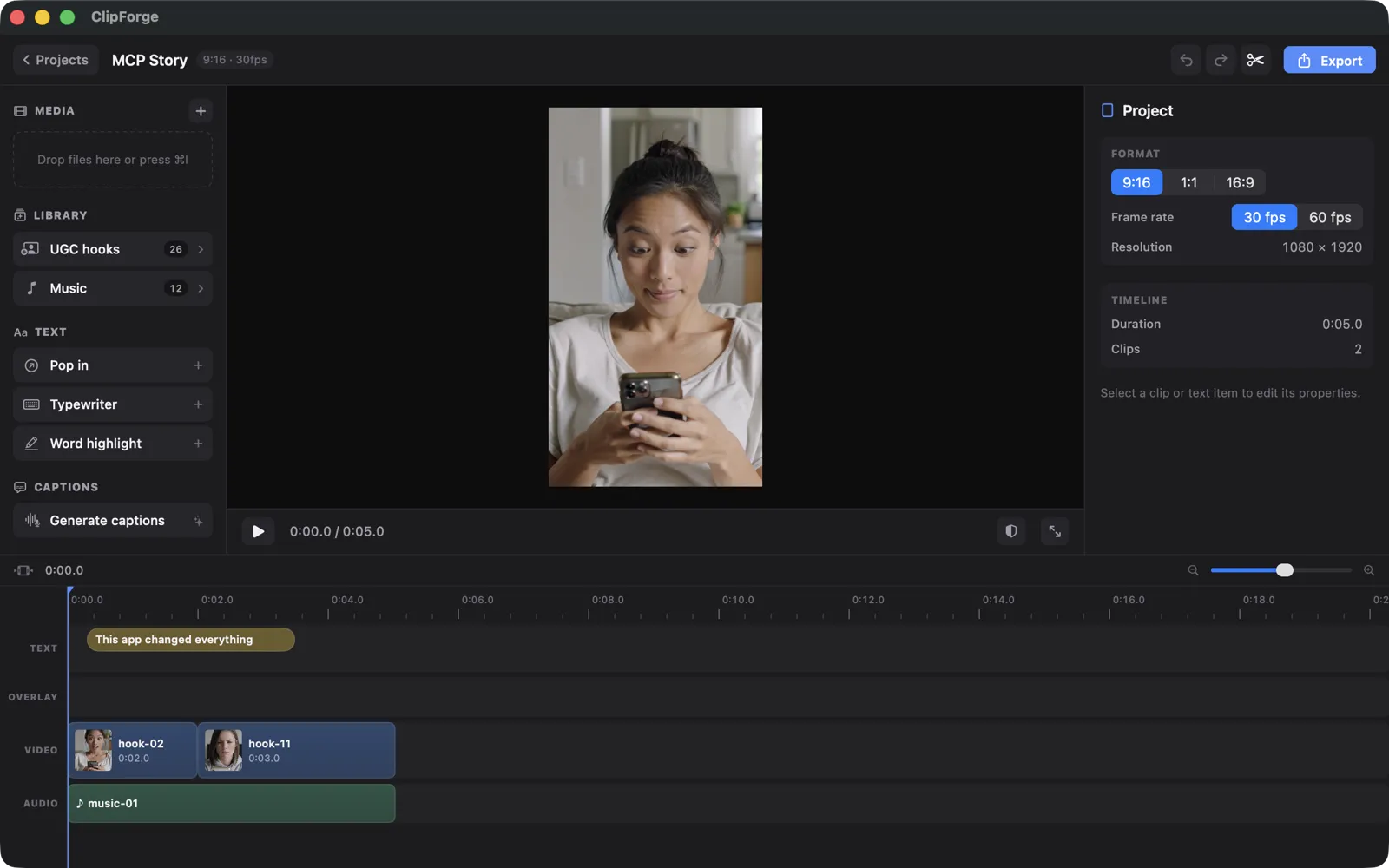
AI edits and manual edits are writes to the same project document. No import/export step, no “AI mode” — the timeline just updates.
ClipForge ships a local MCP server that turns the whole editor into a set of tools for AI agents. Edit videos with Claude Code: describe the ad you want, and watch it come together on the timeline — clip by clip, caption by caption.
Download on the Mac App StoreWhat it looks like
Because ClipForge projects are declarative documents, Claude edits the same file your timeline renders. Every AI change appears live in the editor, goes through the same undo stack, and can be verified by the agent itself with rendered preview frames.
Under the hood
The MCP server runs on localhost only, protected by a token you copy from Settings, and it's off until you turn it on. Every mutating tool returns an updated timeline summary so the agent always knows the state of your edit.
| Tool | What Claude does with it |
|---|---|
create_ad | App name, pitch, screenshots and brand color in — a complete hook–proof–CTA ad out, with voiceover, music and SFX placed. |
search_ugc / search_music / search_sfx | Query the built-in hook, music and SFX libraries by text, tags and mood. |
add_clip · trim_clip · split_clip · move_clip | Full timeline control — the same operations you'd do by hand, keyframes and speed included. |
generate_voiceover | Write and synthesize a voiceover with on-device TTS — captions synced word-for-word from the engine's timings. |
generate_captions | Trigger on-device transcription and TikTok-style animated captions. |
set_music | Pick a track, set gain and fades, enable ducking under speech. |
check_ad · check_legibility | Score pacing, hook, CTA and audio dynamics; lint caption contrast against WCAG. |
render_preview_frame | Get a PNG of any timestamp so the agent can look at its own work. |
export | Render the final 1080×1920 video headlessly into a folder you authorize. |
Why it's different
AI edits and manual edits are writes to the same project document. No import/export step, no “AI mode” — the timeline just updates.
render_preview_frame lets the agent inspect actual pixels at any timestamp and self-correct — captions overlapping the UI get caught before you ever look.
Unlike cloud AI video editors, everything renders on your Mac. You bring your own Claude Code subscription; ClipForge adds no fees on top.
ClipForge is on the Mac App Store. Install it, run one command, and Claude Code can drive the editor.